Windows
Windows 10 and 11. Signed, so it installs without warnings.
 Marrow
 keeps every note as a plain Markdown file in a folder you choose. Link your ideas, plan your days, draw, and find anything again, on your computer, phone and tablet.
Free and open source. No account, no ads.
For Windows, macOS, Linux and Android. iPhone and iPad from source.
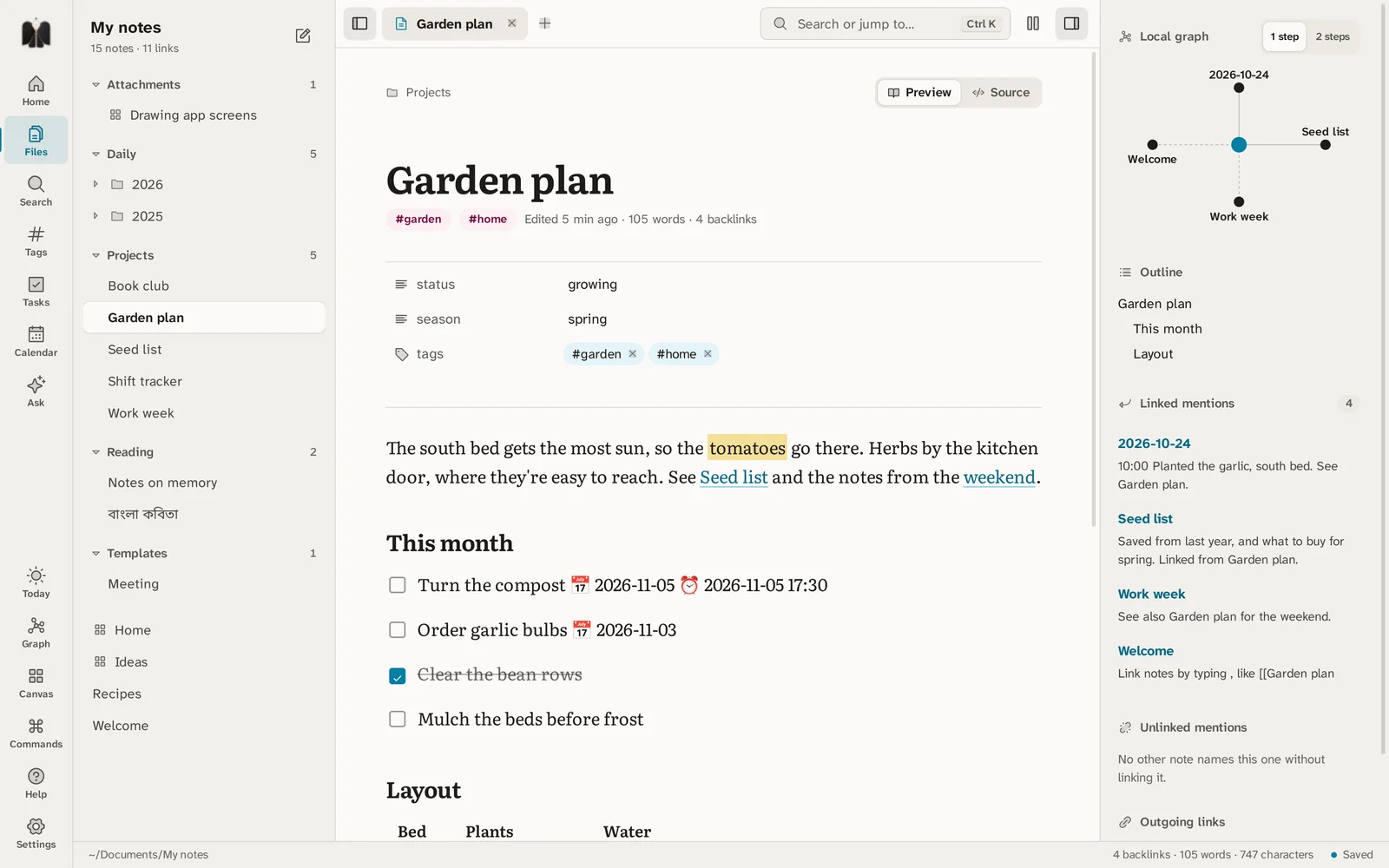
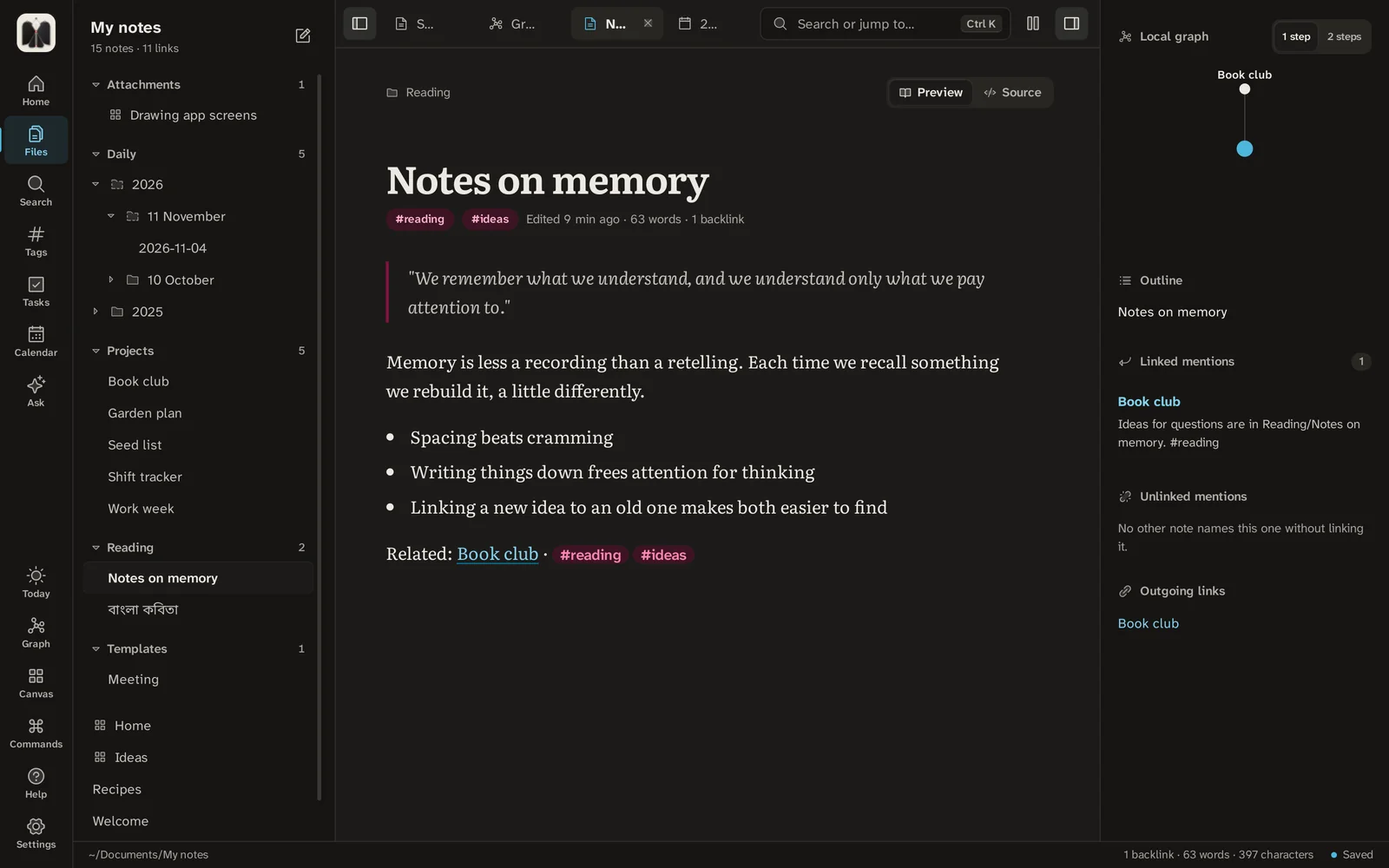
Real screens from Marrow 1.8 on a computer. Pick one to see what it does.
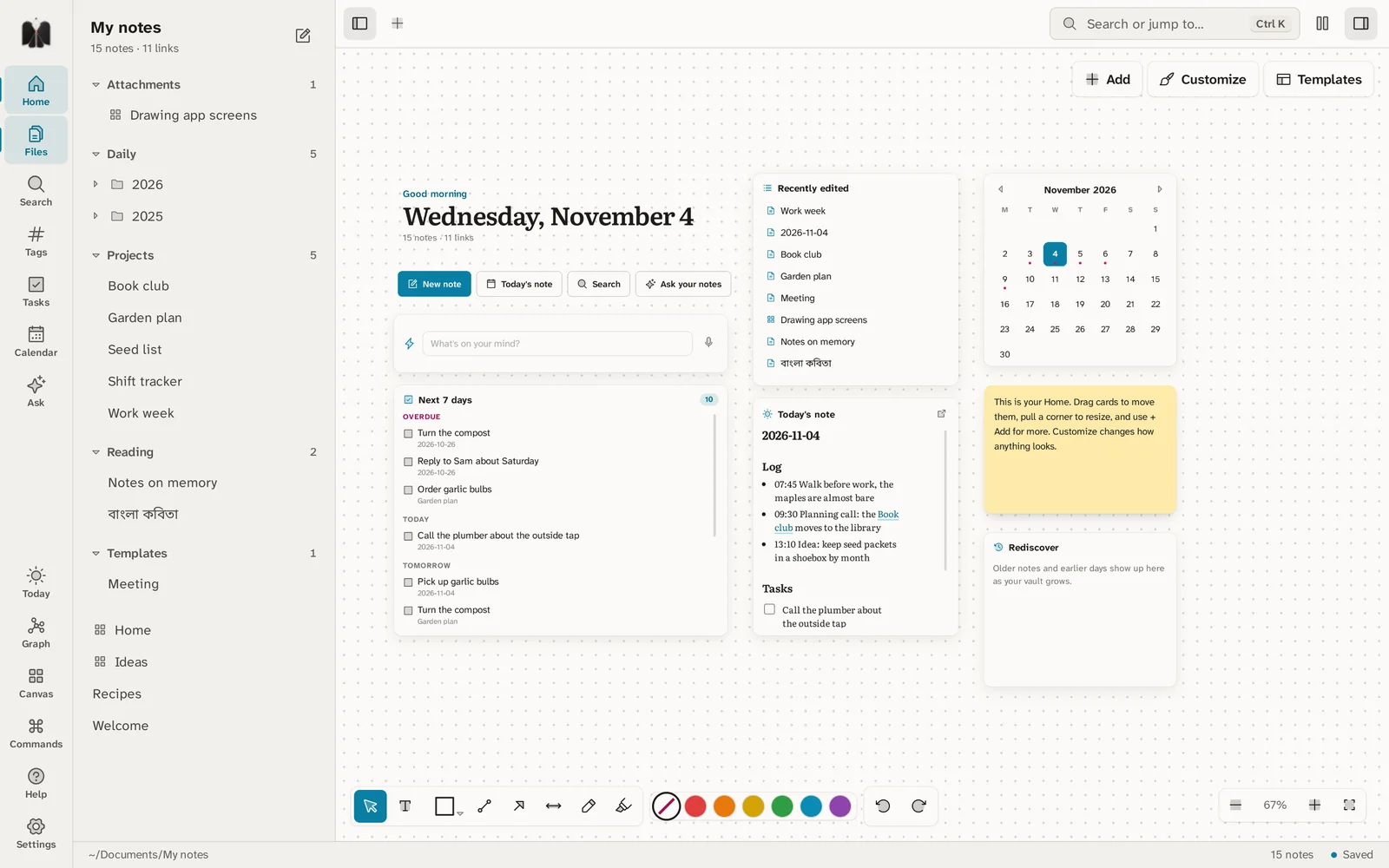
The first thing you see. Arrange cards however you like: what's due this week, today's note, a quick note box, recent notes, a calendar, sticky notes and more.
Windows, macOS and Linux on computers. Android, iPhone and iPad on phones and tablets. Each one is a real app built for that device, not a web page in a box, and they all read the same folder.
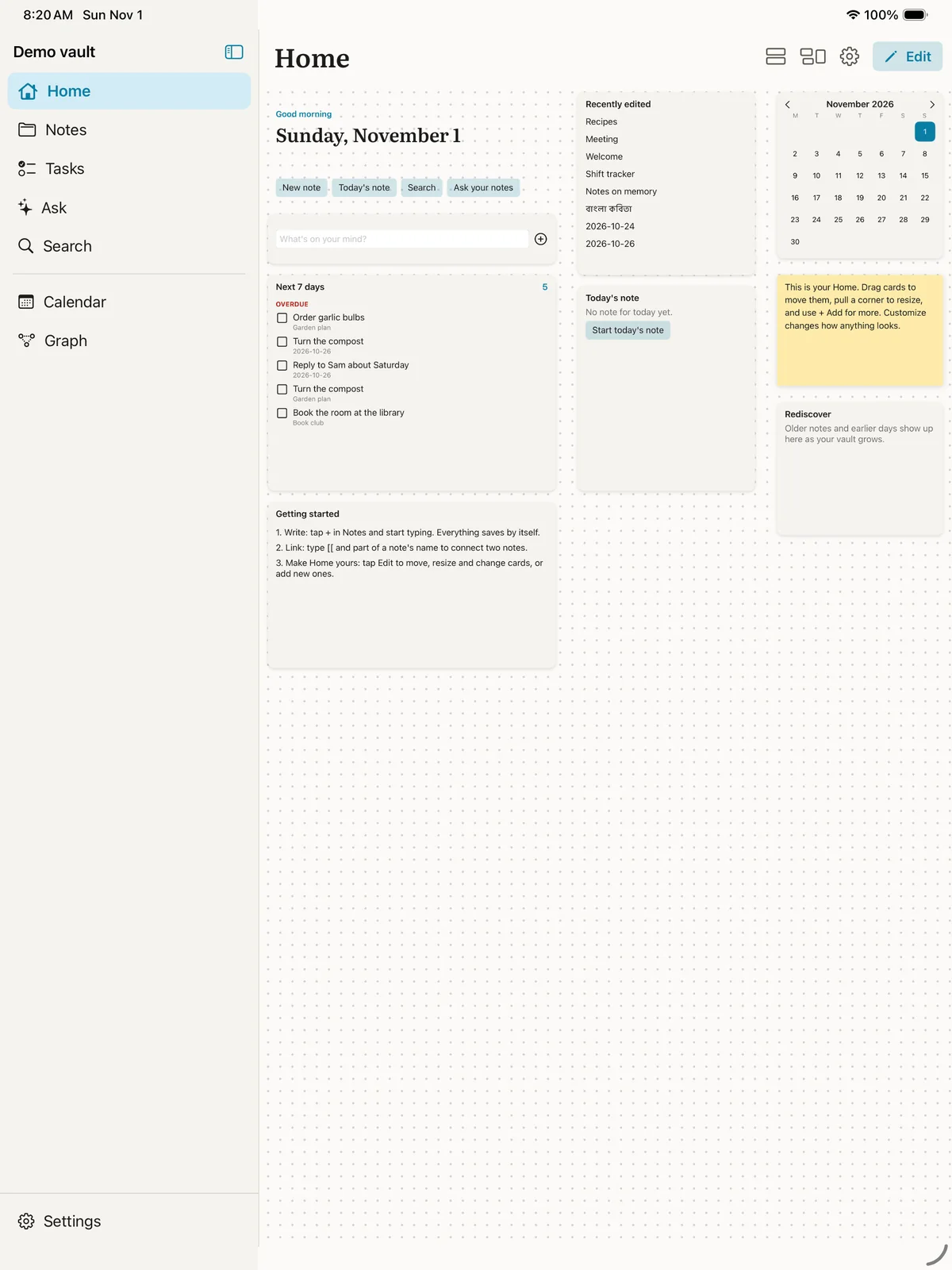
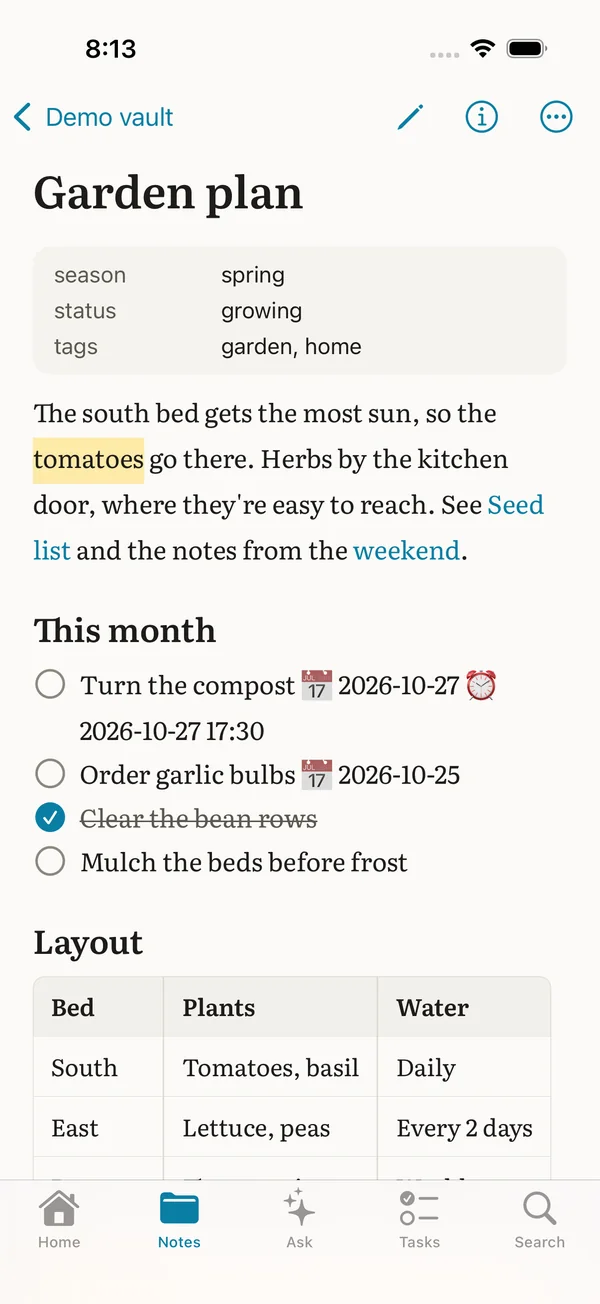
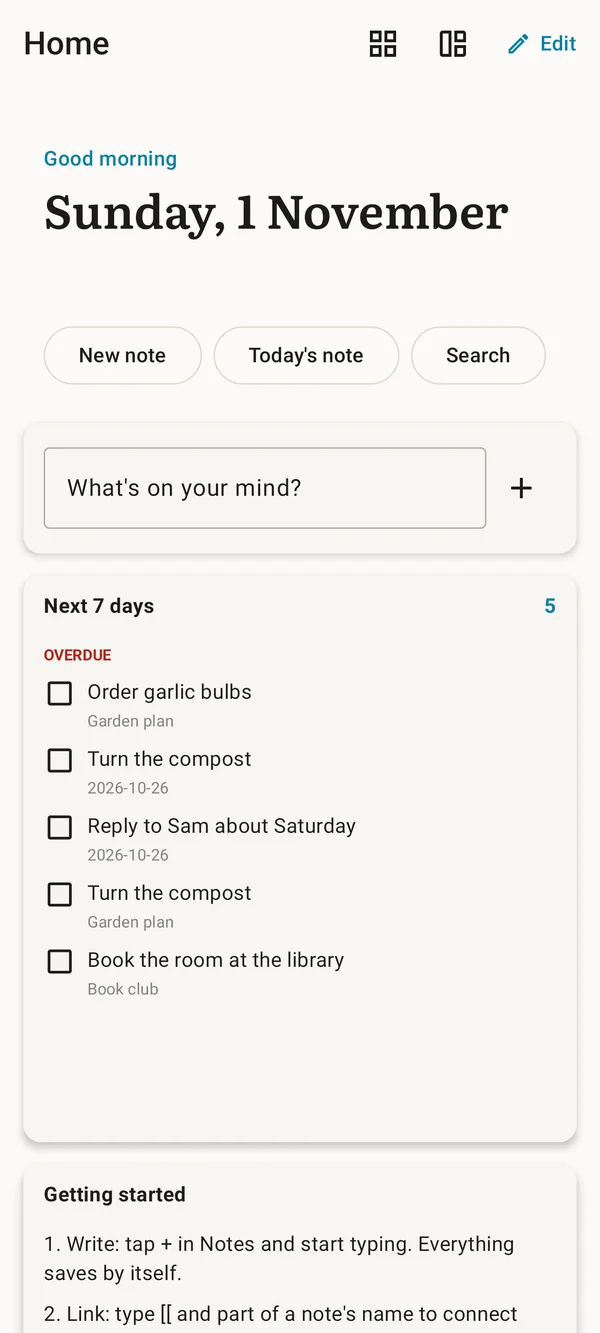
Keep them in step with your own Google Drive, OneDrive, Dropbox, iCloud, a WebDAV server, or any folder that already syncs. Turn on end-to-end encryption if you like; your notes never pass through our servers.
Nine habits that make Marrow pay off. Start with the first three; add the others when you need them.
Marrow works on a folder of notes, called a vault. Make one for everything: work, home, reading, ideas. Subfolders are fine, but don't spend long on them, because links and search do most of the sorting for you.
Already use Obsidian? Open that folder; it just works. Coming from Notion or Evernote? Import notes in Settings brings your notes over, with step-by-step help.
Today's note is a page for the date with two parts: Log for what happens and Tasks for what to do. Write a line whenever something comes up. Over weeks it becomes a diary you can search.
Try it: Ctrl D opens today's note. Ctrl Alt N drops a quick note into it from any app.
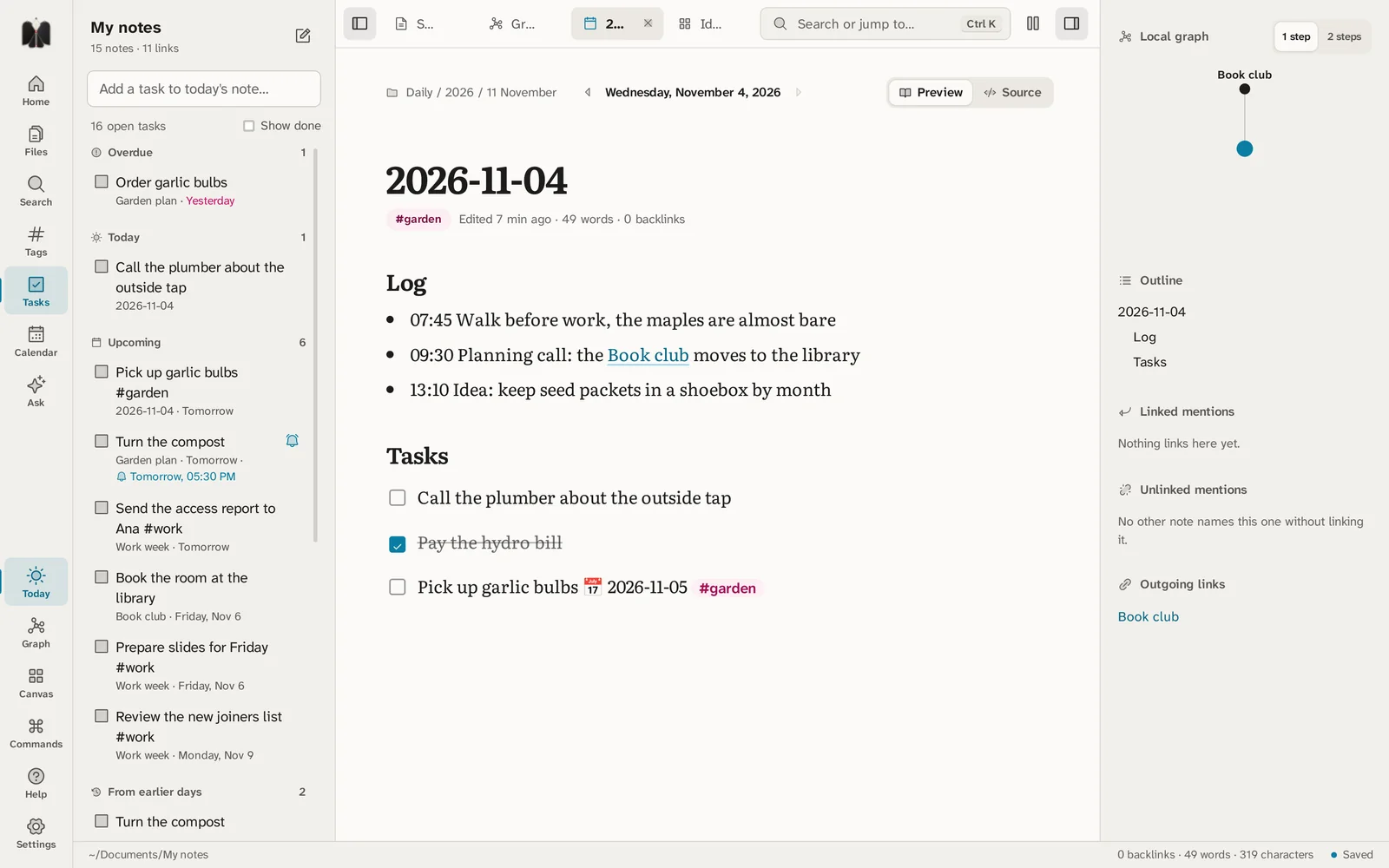
Type [[ and a few letters to link another note. Every link works both ways: the note you link to lists this one under Linked mentions. Link to a note that doesn't exist yet and it's waiting for you when you click.
Unlinked mentions shows notes that name this one without linking it. One click links them.
Try it: Ctrl + click follows a link while you edit.
![Typing [[Gar in a note shows a suggestion: Garden plan, in Projects.](/marrow/shots/link.webp)
Use a #tag for a theme you'll want to gather later, like #reading or #work. A few good tags beat dozens of rarely used ones.
Put facts you'll sort or filter by, such as a status or a date, in the note's properties at the top. Databases can then show them as a table, a board or a calendar.
Start a line with - [ ] to make it a task. Add a date with 📅 2026-11-05, and a reminder with ⏰ 2026-11-05 17:30 or the bell button. Your computer or phone tells you when it's time.
Every task from every note gathers in Tasks, on the Calendar and on Home, so you can write tasks wherever they come up and still see them all in one place.
Tap Edit on a phone, or use Add and Customize on a computer. Show the tasks you care about: the next 7 days, one tag, one folder, or any dates you pick. Pin a sticky note, one section of a note, a countdown or a clock.
Start from a template such as Week planner or Study. Save yours as a .marrowhome file to share; words on sticky notes stay out unless you choose to keep them.
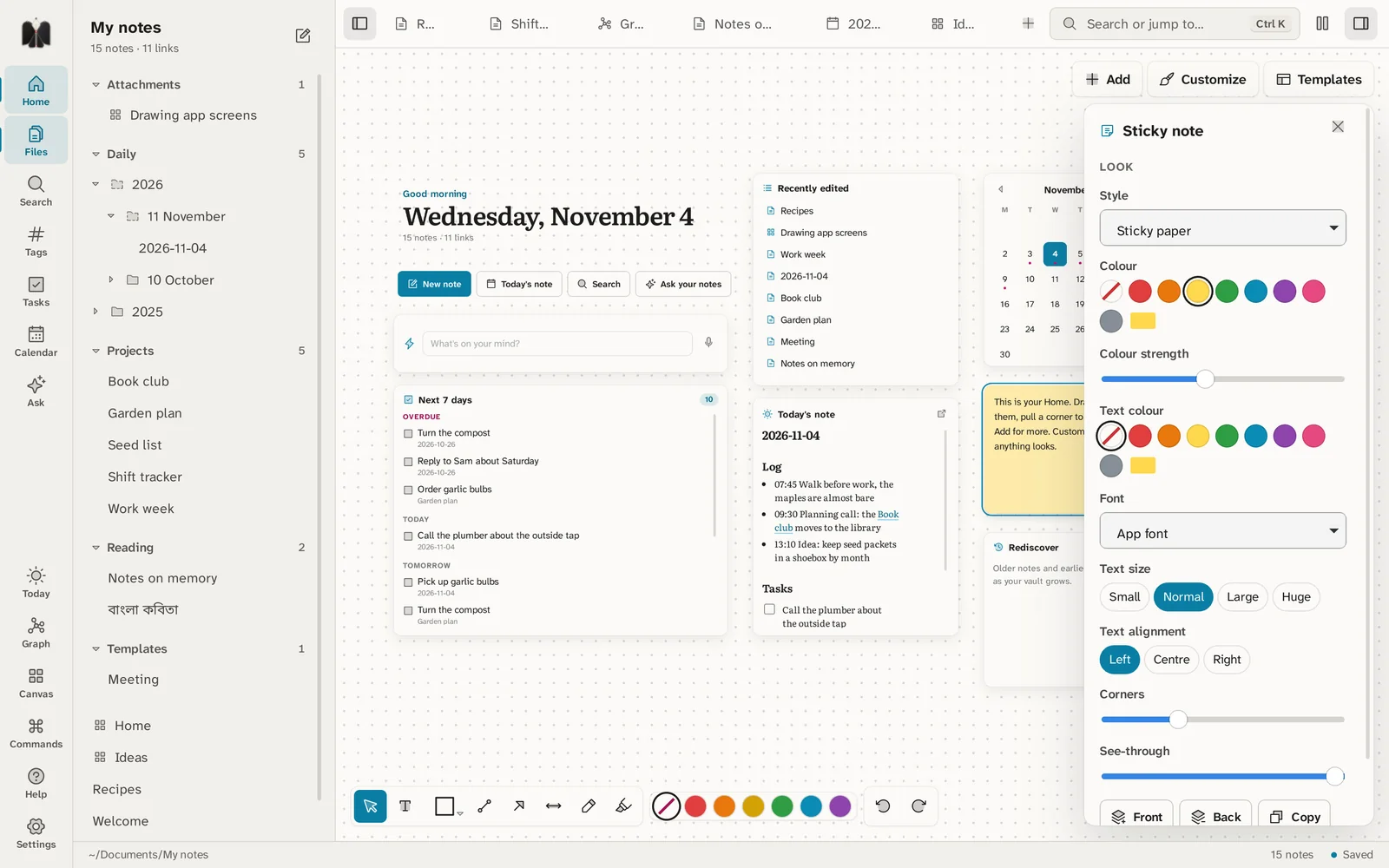
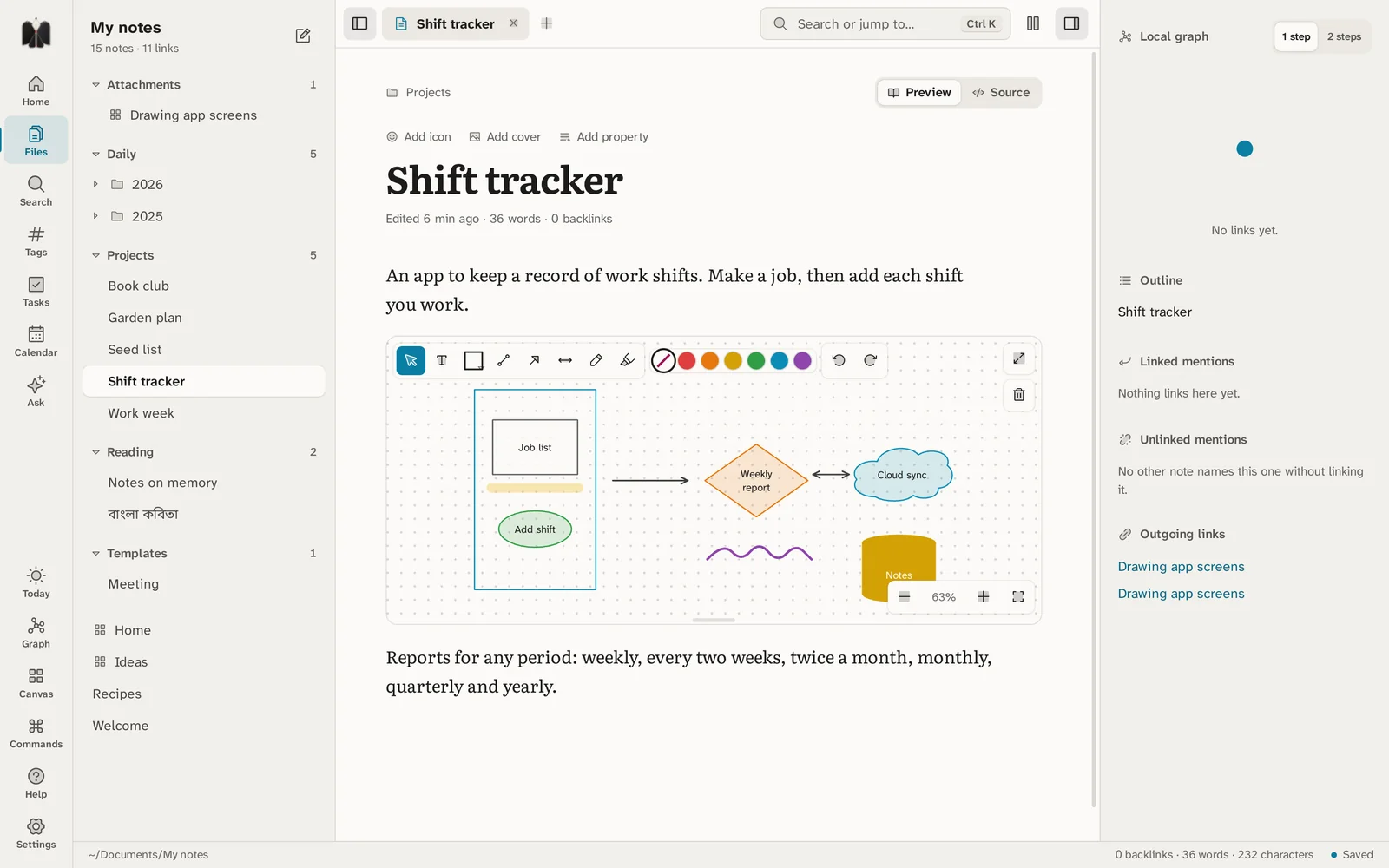
Type /drawing on an empty line, or use the Drawing button, and sketch right in the note: boxes, arrows, a quick map, a screen idea. On phones and tablets, draw with a finger or a pen; the hand tool moves and resizes what you've drawn.
For the bigger picture, open a Canvas and lay out whole notes side by side.
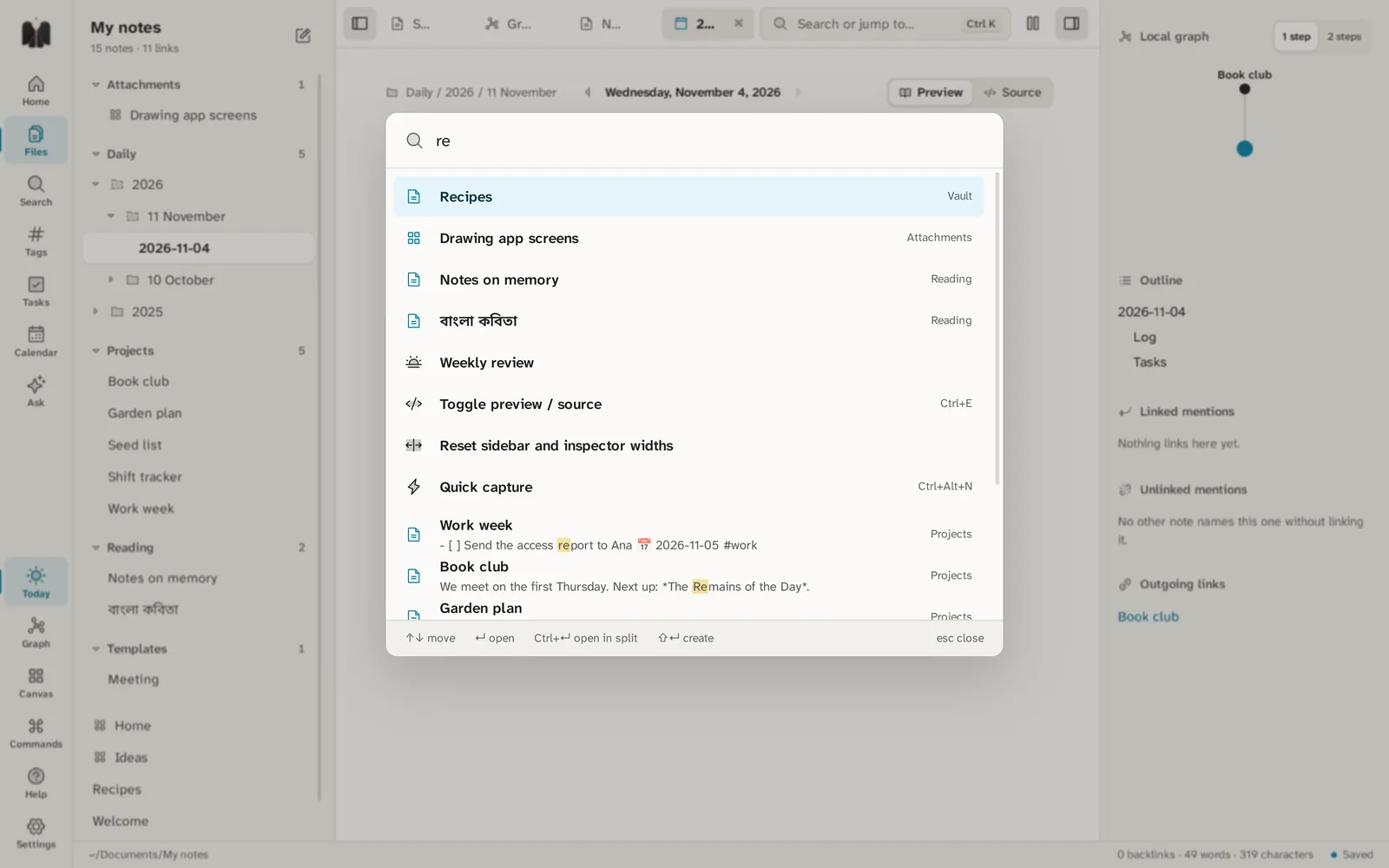
Ctrl K finds a note by name and runs any command. To look inside every note, use Ctrl Shift F. Search understands "exact phrase", -word to leave something out, tag:#garden and path:Projects.
When you can't remember a word at all, open the Graph and follow the links, or ask your notes a question with Ask (bring your own AI key, or run one on your computer).
Connect your own Google Drive, OneDrive, Dropbox, iCloud or WebDAV under Sync in Settings, and the same notes appear on every device. Lock private notes or whole folders with a password.
Marrow keeps every version of every note: Version history compares and restores them, and the time machine shows your whole vault as it was on any past date, deleted notes included.
On a computer, these save the most time. Everything else is in Settings › Hotkeys.
| Ctrl K | Find a note, or run a command |
| Ctrl N | New note |
| Ctrl D | Today's note |
| Ctrl E | Switch between reading and editing |
| Ctrl Shift F | Search inside every note |
| Ctrl G | Graph |
| Ctrl \ | Split the view in two |
| Ctrl Shift [ / ] | Hide or show the sidebar / the right panel |
| Ctrl Alt N | Quick note from any app |
| [[ | Link to another note while you type |
| / | On an empty line: headings, lists, tables, callouts, drawings |
| F11 | Focus mode |
.md file you can open in any text editor, today or in twenty years.Free for every device. The latest version is always on GitHub.
Windows 10 and 11. Signed, so it installs without warnings.
Apple silicon and Intel. The first time, allow it under System Settings › Privacy & Security › Open Anyway.
AppImage for any distribution, or a package for Debian, Ubuntu, Fedora and Red Hat.
Phones and tablets, Android 8 and later. Allow installing from your browser when it asks.
Not in the App Store yet. If you have a Mac, you can build it from the source with Xcode.
Save web pages into Marrow from Chrome, Edge, Brave or Firefox. Coming to the browsers' add-on stores.
Looking for an older version, or what changed? See all releases and the changelog.
Marrow is free and has no ads. If it helps you, you can support its work, or tell us what to improve.