Windows
64-bit Windows. The installer sets everything up; the portable version runs without installing.
 Ekushe Next একুশে নেক্সট
Write ami banglay gan gai and get আমি বাংলায় গান গাই। Ekushe Next is a Bangla keyboard for your computer and your Android phone, with a spell checker, a Bijoy converter and more built in.
Free and open source. No account, no ads, and it works offline.
Download Ekushe Next See what it can do
For Windows, macOS, Linux and Android. Beta.
Typing works in every app. Studio is where the rest lives: a writing pad, help with conjuncts, a spell checker, the converter and more. These are real screens from the current beta.
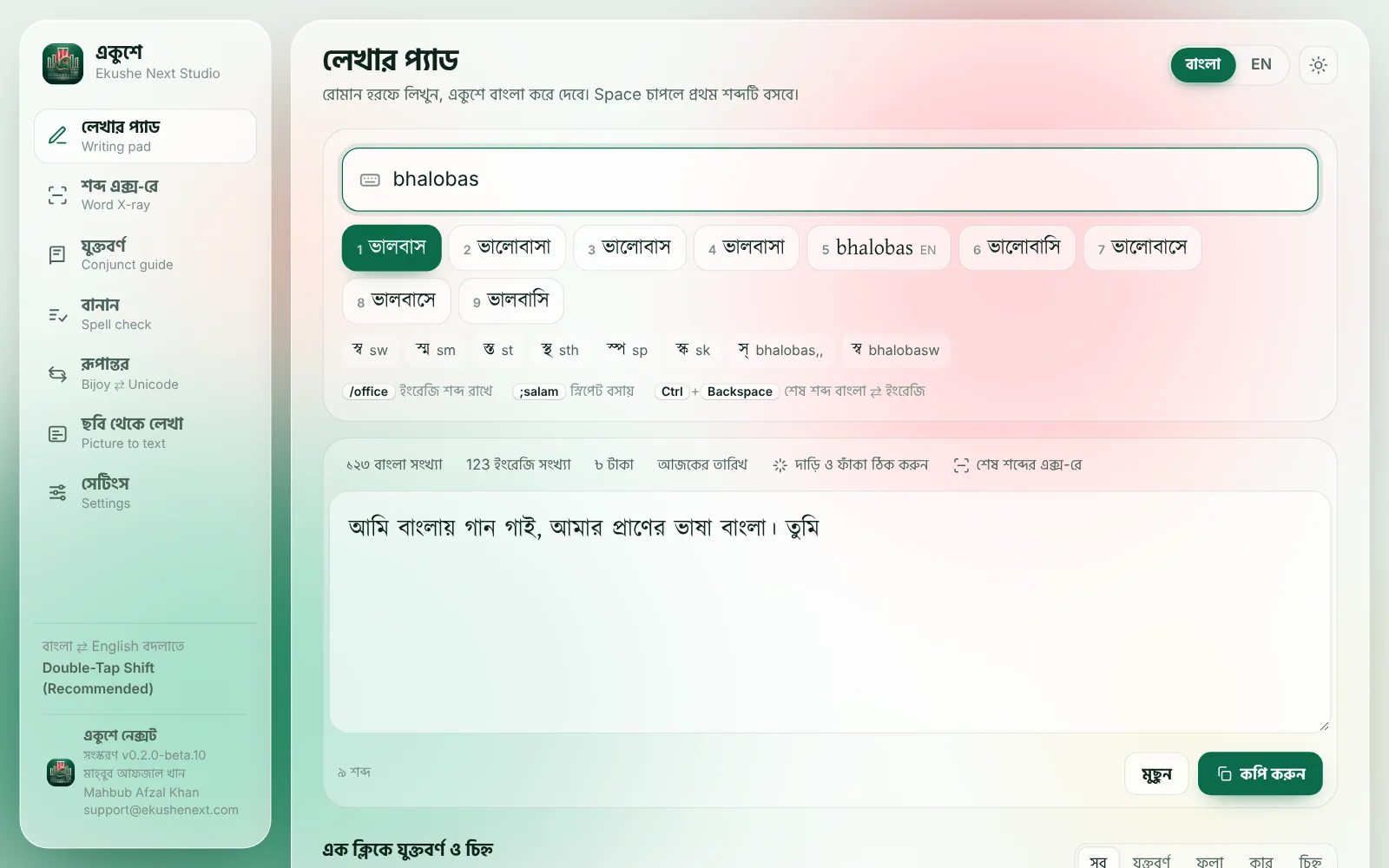
Type bhalobas and pick from the words that match. Under the words: the conjuncts you could mean, quick ways to write numbers, dates and taka, and a copy button for anywhere else.
Text typed in Bijoy looks like nonsense anywhere without its fonts. Ekushe turns it into real Bangla that every phone, browser and search engine understands.
Bijoy (SutonnyMJ), as other apps show it
Avwg evsjvq Mvb MvB| evsjv‡`k Avgvi ^‡`k|
Unicode, after Ekushe
আমি বাংলায় গান গাই। বাংলাদেশ আমার স্বদেশ।
The same phonetic typing as a keyboard for every app, with suggestions above the keys, letters on long-press, emoji and themes. Press EN and it hands you to Gboard for English; one tap brings you back.
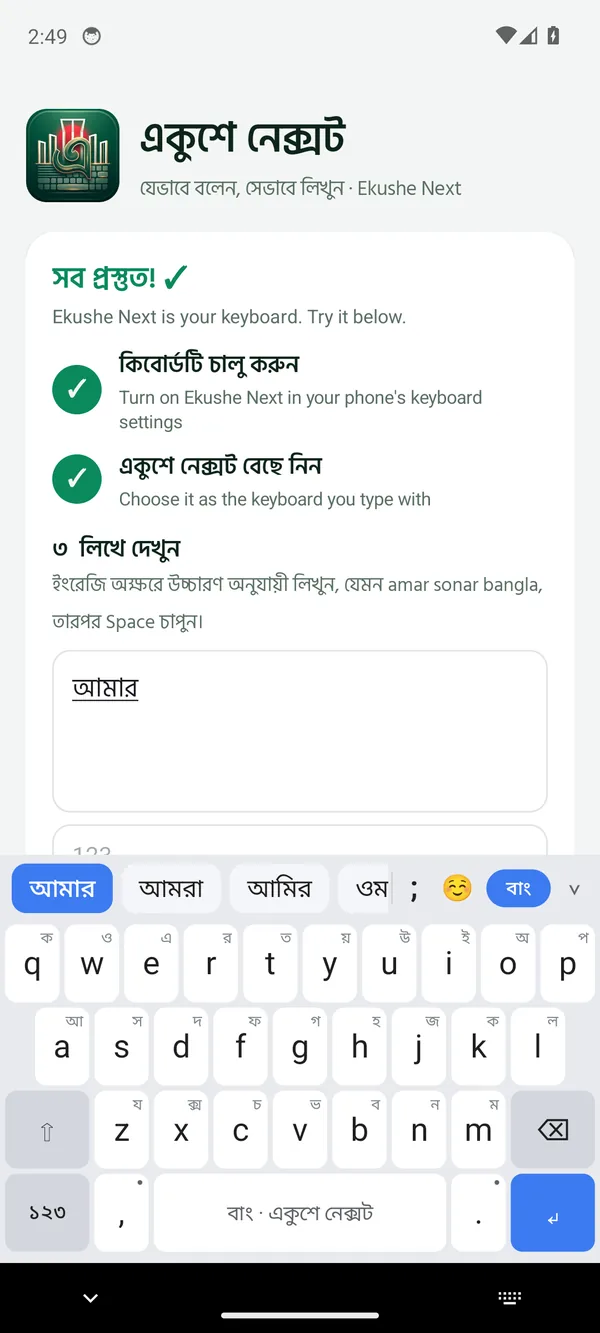
Flame trees, the Padma, water lilies, kash flowers. Or the colours of your phone, or your own photo.
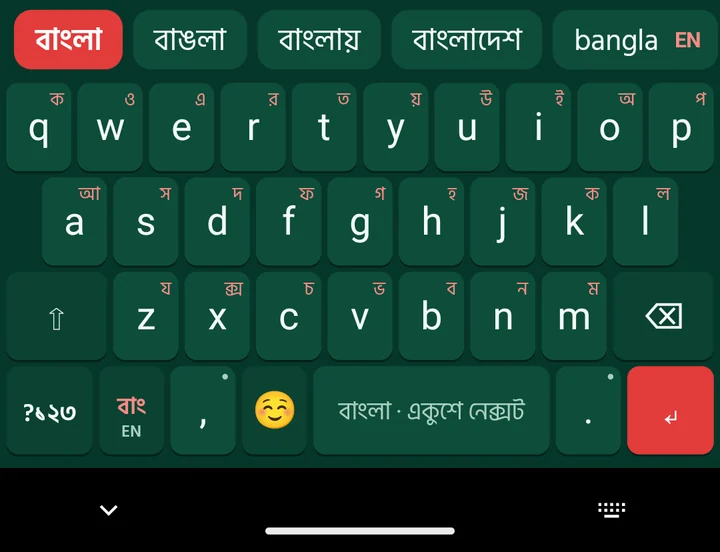
Plus an emoji panel, a Bangla number row, and a setup screen that walks you through turning it on.
Made for people who write Bangla every day: at work, at school, in messages and in books.
Write Bangla as it sounds. A smart mode offers the best dictionary words first; a plain mode types exactly what you wrote. If you know Avro, you already know it.
Probhat, National, Bornona and Munir Optima come with it. Add any layout file, or build your own key by key and try it before you save. On Android tablets too.
Checks spelling against the Bangla Academy's rules and offers the right word beside the wrong one.
Bijoy to Unicode and back, for a line or a whole Word file, from Studio, or by selecting text in any app and pressing Ctrl Alt C on Windows.
Photos, screenshots, scans and PDFs of printed Bangla become text you can edit, read on your own computer.
On Windows, speak Bangla and see it typed, with the words appearing as you talk. It runs on your computer, not in the cloud.
Type ;aj for today's date, ;bar for the weekday and ;bongabdo for the date in the Bangla calendar. Bangla digits and the taka sign are a key away.
Double-tap Shift to go between Bangla and English, or pick another way in Settings. Or use the menu by the clock.
Free for every device. Ekushe Next is in beta: it works well every day, and it's still getting better.
64-bit Windows. The installer sets everything up; the portable version runs without installing.
Install the package, then turn on Ekushe under System Settings › Keyboard › Input Sources.
AppImage for any distribution, or a package for Debian, Ubuntu, Fedora and Red Hat.
Phones and tablets. Allow installing from your browser when it asks, then follow the setup screen.
Coming soon.
How to set it up on each device, every shortcut, and answers to common questions, in Bangla and English.
Older versions and what changed are on the releases page.
Ekushe Next is free and has no ads. Tell a friend who writes Bangla, report what doesn't work, or support the work.